
Core Insight
Not every alert deserves the same amount of attention.
Users need information progressively.
Awareness
↓
Assessment
↓
Understanding
↓
Action
"Not Every Alert Deserves the Same Fear"
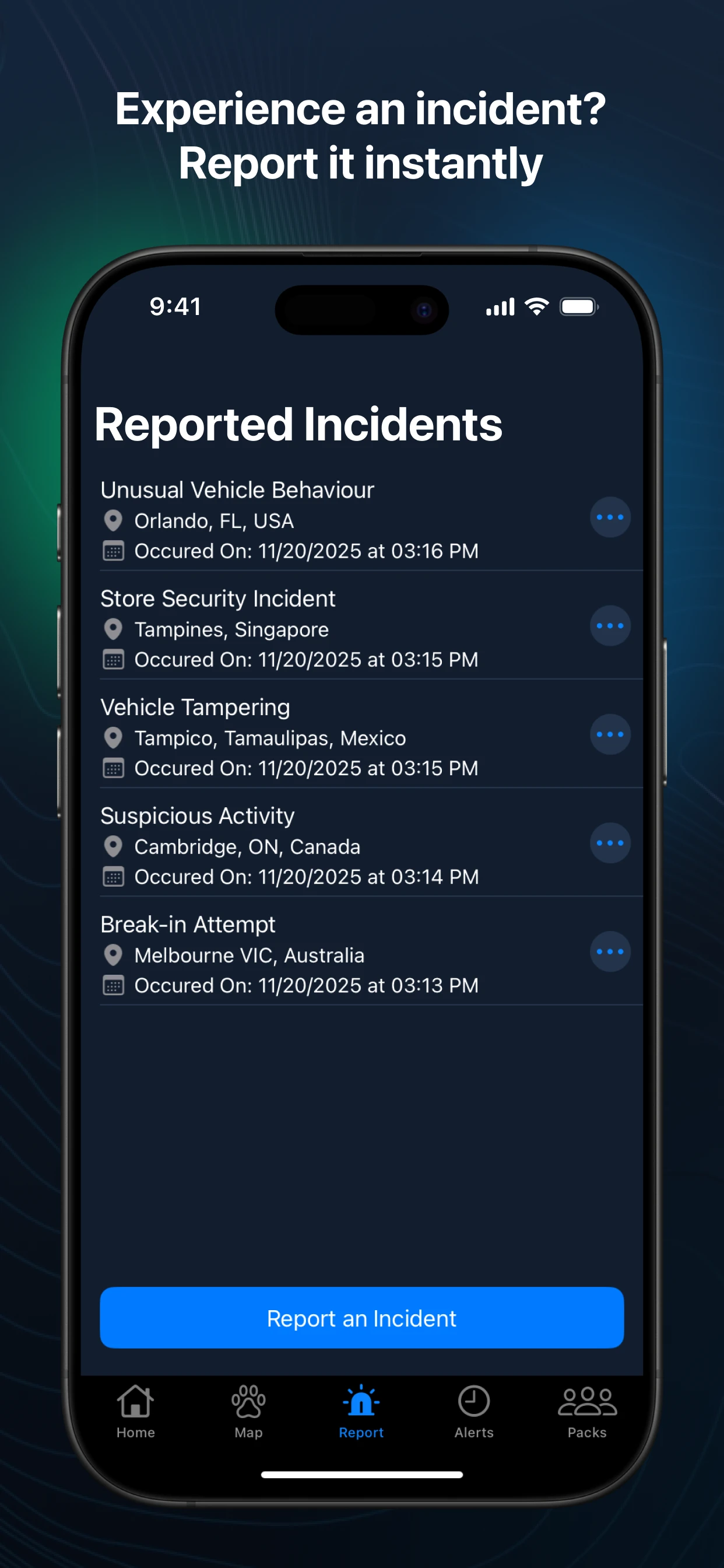
An alert is often the first interaction users have with an emergency. It needs to inform, reassure, and guide users toward action.
Designing for Progressive Awareness

Alerts
Problem Statement:
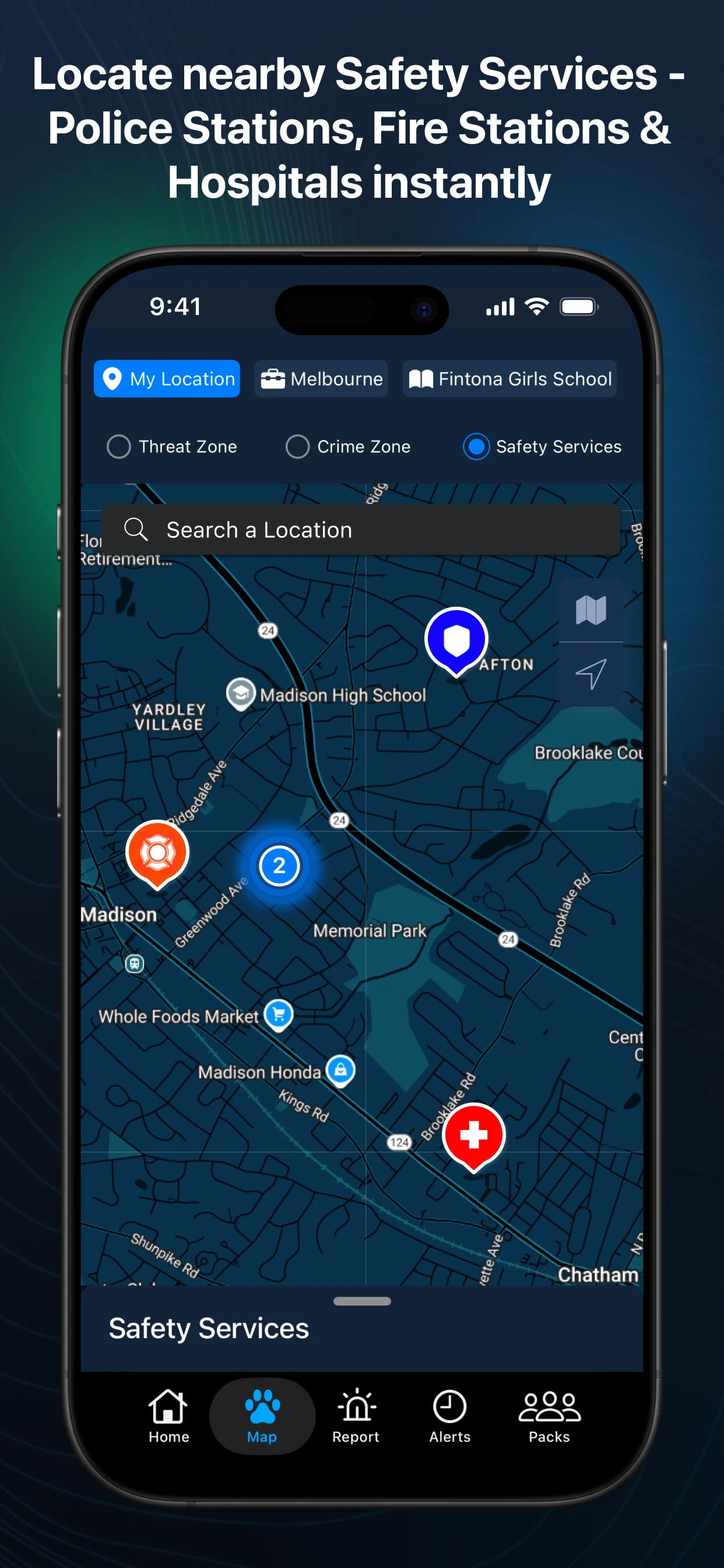
The map needed to support three additional layers of information:
Safety Services - Hospitals, Police Stations, Fire Stations.
Threat Zones - Potential areas where incidents may occur.
Crime Zones - Heatmap showing concentrations of incidents.
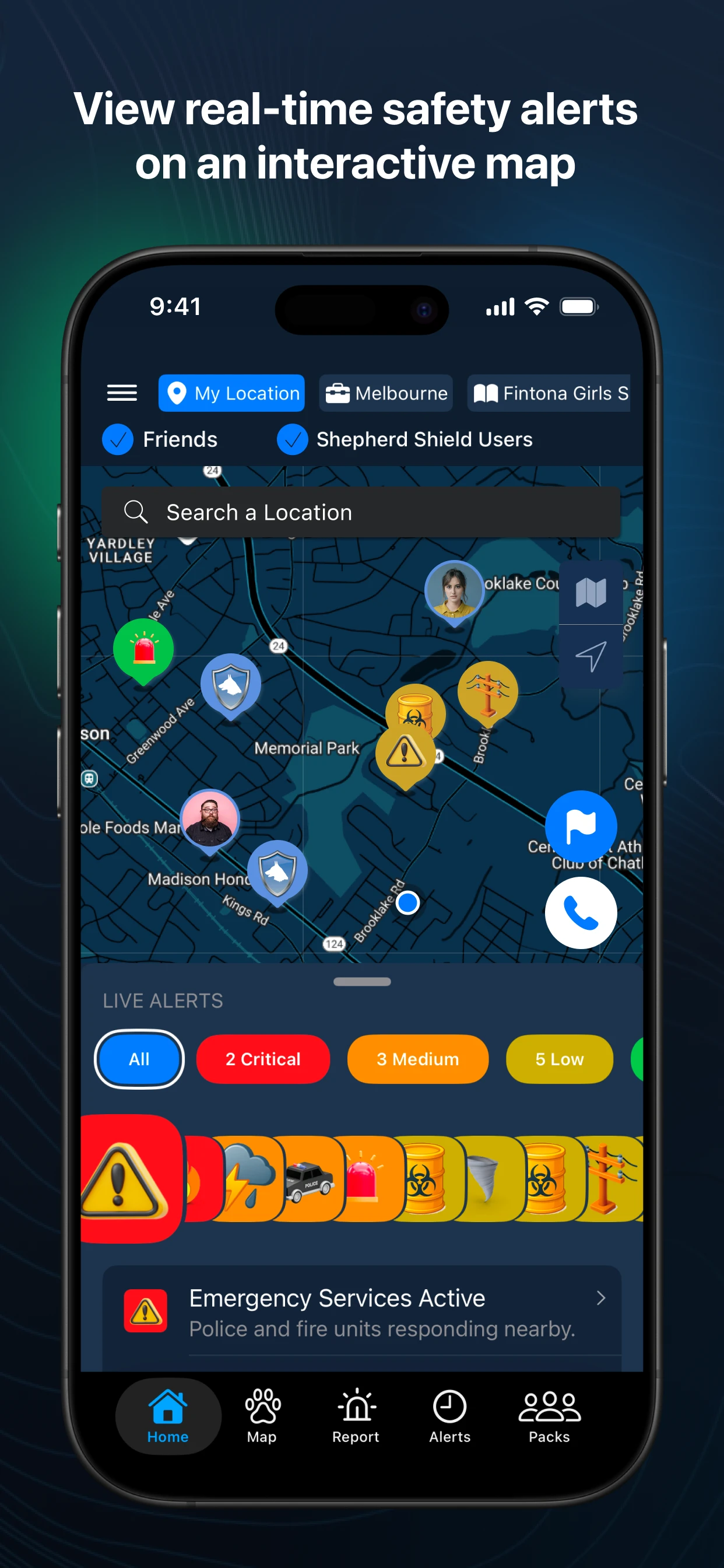
Layering Critical Information on the Map
During emergencies, users often need more than incident information—they need access to resources and an understanding of potential risks.

Map provides users better spatial experience and make safety information visual, contextual, and actionable.
MAP- A Multi-layered experience.

The original product had a Friends feature hidden inside More Settings.


FINAL DESIGNS
Poor discoverability.
Limited engagement.

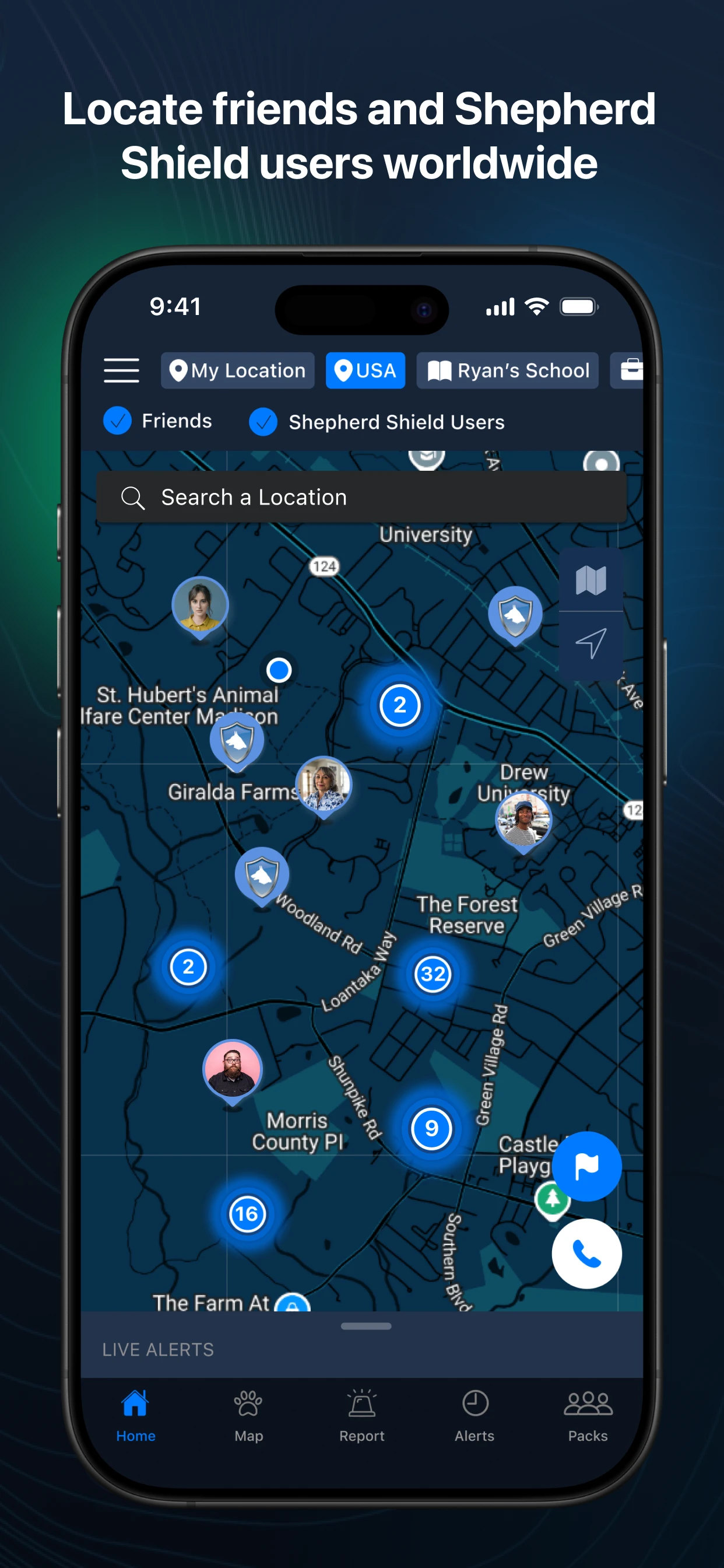
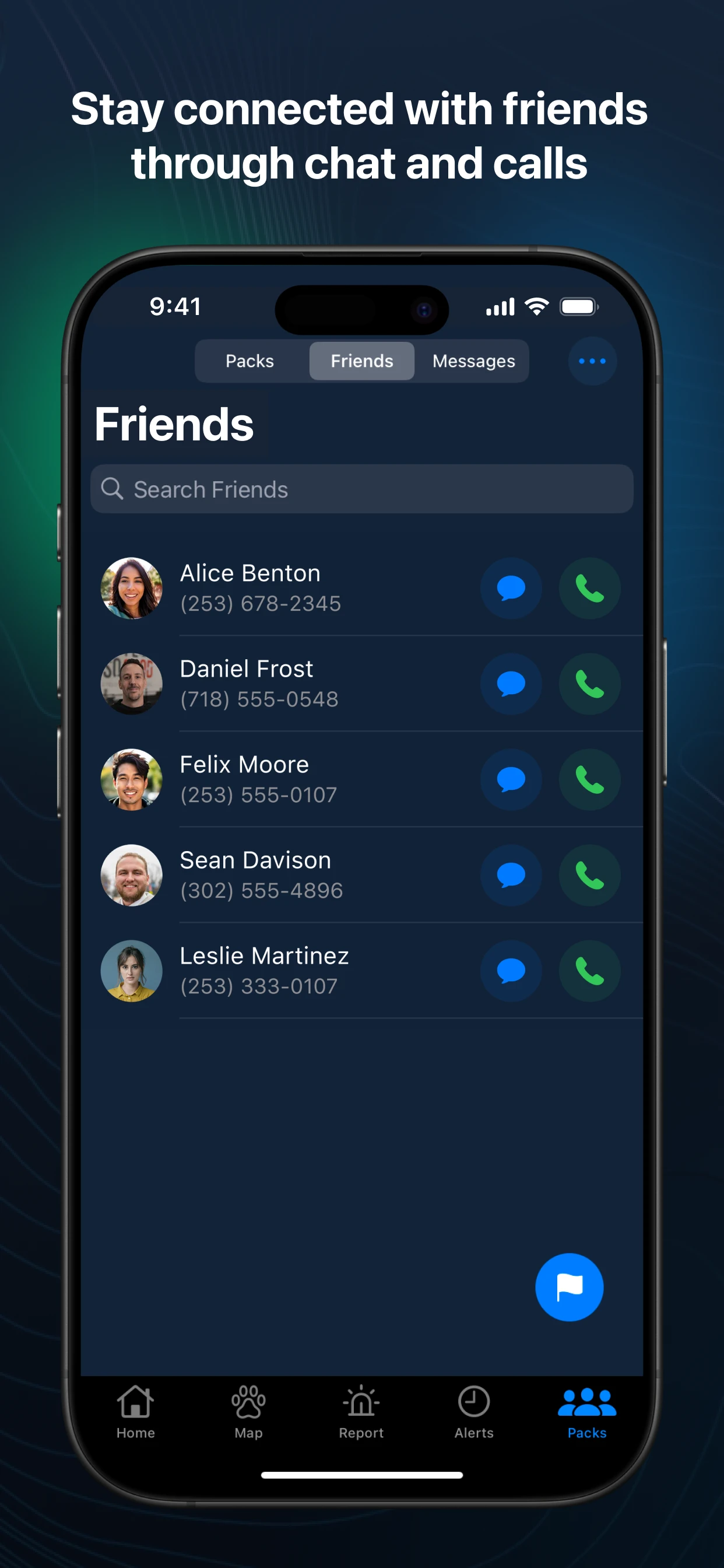
Friends and Packs
In a real emergency, nobody thinks
"let me check on my twelve closest contacts individually."
They think in groups — my family, my team, my building.
*Saved Locations creates long-term engagement, increases the frequency and relevance of safety interactions by helping users monitor places that matter most.
Rally Points
Information can tell people what happened.
It can't tell them where to reunite.
At this moment, awareness alone wasn't enough. People needed a way to regroup, coordinate,
and regain a sense of control.
That became the foundation for Rally Points.
User Journey until now
"What happened?" - Alerts
↓
"Where is it?" - Maps
↓
"Does it affect me?" - Saved Locations
↓
"Where is everyone?" - Friends & Packs
↓
"Where do we meet?" - Rally Point

Rally Point Flow

How severe is the incident ? (Awareness)
Showing every alert equally created noise and made important information harder to find.
We categorized alerts into four severity levels:
🔴 Critical
🟠 Medium
🟡 Low
🟢 Safe
Color became the primary mechanism for helping users quickly assess urgency.


Users could now filter any combination of alerts and modify their search.
About Shepherd Shield:
Shepherd Shield is a real-time personal safety platform — active shooter alerts, weather emergencies, crime activity, missing persons — built for Security Services Northwest, a security company that's been protecting people since 1977.
An end-to-end redesign of Shepherd Shield, a real-time safety and community coordination platform.
I led the end-to-end UX redesign of Shepherd Shield, working across product strategy, feature prioritization, information architecture, wireframes, high-fidelity designs, user stories, and developer collaboration to create a more intuitive and modern safety experience.
Tools Used: Figma, FigJam, Miro, Open Project, Chatgpt
Industry: Personal Safety & Situational Awareness
Platform: iOS & Android
Scope: End-to-end UX redesign of an existing product
Timeline: 4 months

| 4.8
Play Store Rating
Shepherd Shield, "your own German Shepherd, your personal protector, in your pocket."
| 1L+
Playstore Downloads
| 85%
Adoption in 3 months
My Role: UX Lead
My Role: UX Lead
Reduce Cognitive Load
Enable Quick Action
Provide Reassurance
Support Coordination


Product Challenges:
The tension lay in balancing richness vs. speed: the need to show comprehensive safety information while ensuring fast load times, fluid animations, and glanceable clarity. Every extra visual element risked lag, battery drain, or delays in life-critical alerts.
Designing for Complexity Under Stress
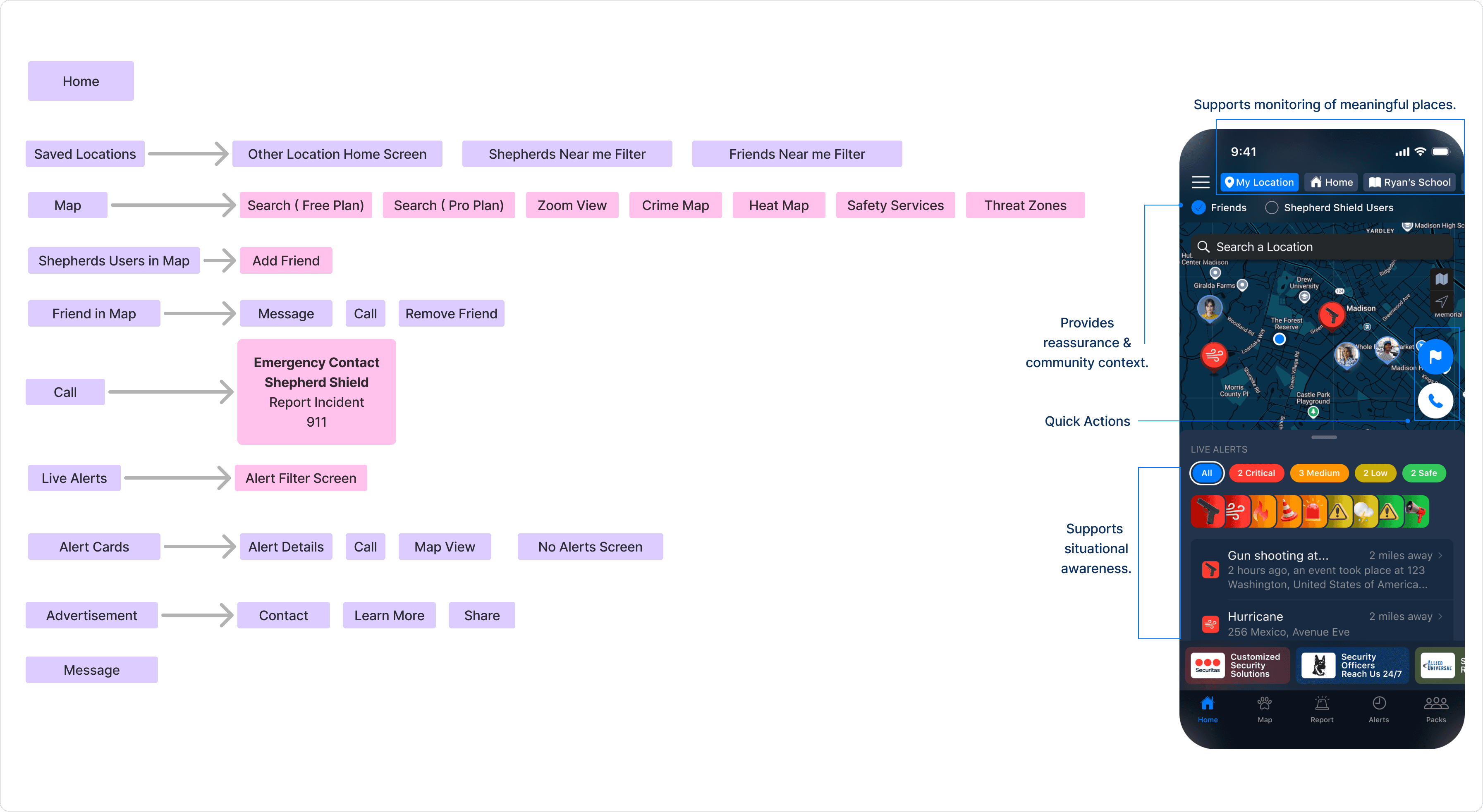
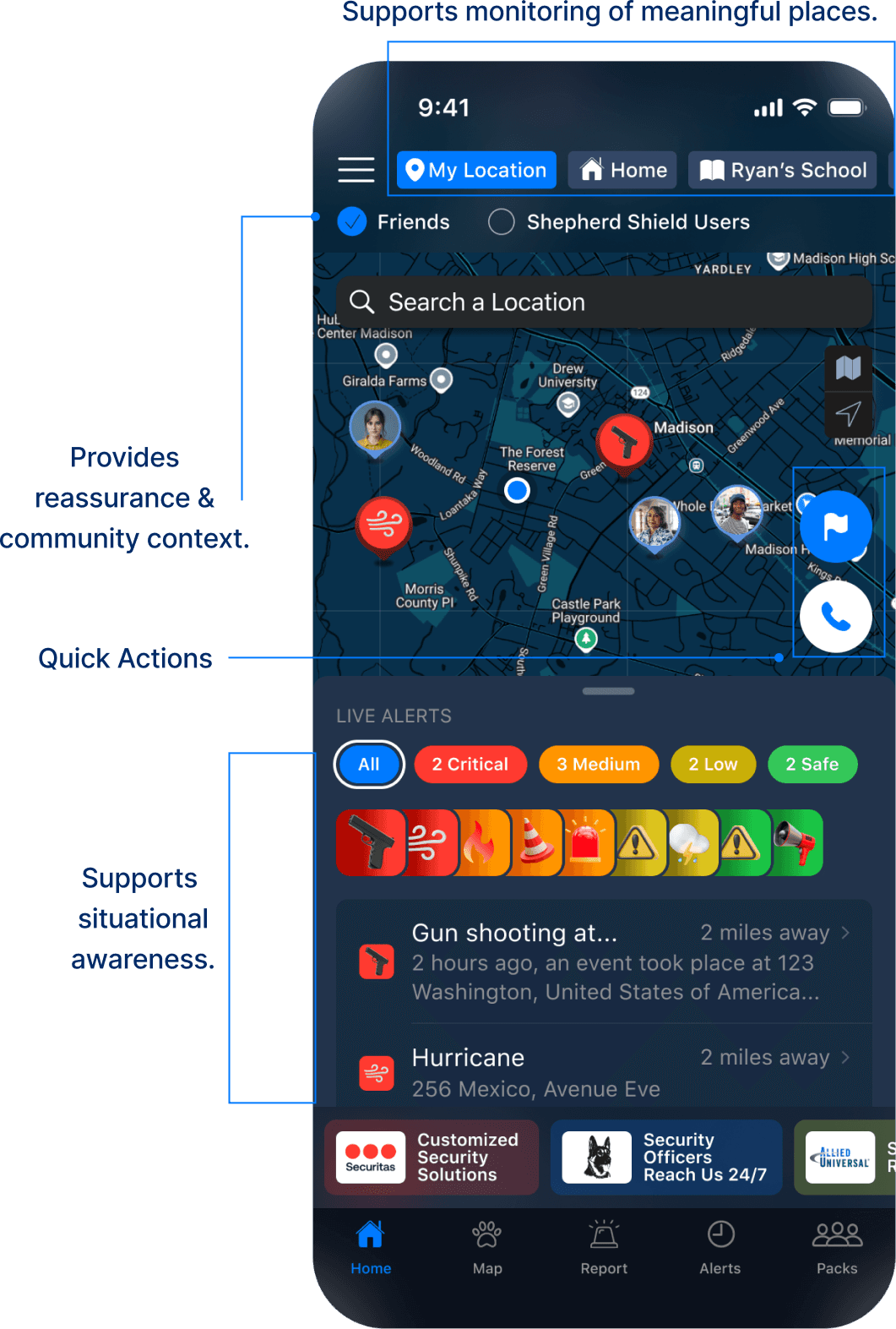
The Home Screen Needed to Become a Decision-Making Hub
Rather than removing features, we grouped information based on user intent.
Information Architecture
The goal wasn't to create a simple home screen.
The goal was to create a screen that helps users make sense of complex information during moments of uncertainty.

Alerts
Designing for Progressive Awareness
An alert is often the first interaction users have with an emergency. It needs to inform, reassure, and guide users toward action.
"Not Every Alert Deserves the Same Fear"
Core Insight
Not every alert deserves the same amount of attention.
Users need information progressively.
Awareness
↓
Assessment
↓
Understanding
↓
Action
Key Decision Flows
An All button was introduced.
Users could now filter any combination of alerts and modify their search.

Designing for Uncertainty

Project Gallery

Design Approach
Design Approach
Guardrails were vital for this project. After thorough analysis, I derived at the four Guiding principles to approach the project :
Designing for Uncertainty
An end-to-end redesign of Shepherd Shield, a real-time safety
and community coordination platform.
About Shepherd Shield:
Shepherd Shield is a real-time personal safety platform — active shooter alerts, weather emergencies, crime activity, missing persons — built for Security Services Northwest, a security company that's been protecting people since 1977.
Shepherd Shield, "your own German Shepherd, your personal protector, in your pocket."
I led the end-to-end UX redesign of Shepherd Shield, working across product strategy, feature prioritization, information architecture, wireframes, high-fidelity designs, user stories, and developer collaboration to create a more intuitive and modern safety experience.
Tools Used: Figma, FigJam, Miro, Open Project, Chatgpt
Industry: Personal Safety & Situational Awareness
Platform: iOS & Android
Scope: End-to-end UX redesign of an existing product
Timeline: 4 months
Project Gallery
Shepherd Shield's users had a range of emotions when using the app:


One significant realization was unlike other applications Shepherd shield was used less but often during critical situations
Trust > Habit Clarity > Engagement Speed > Delight
Guardrails were vital for this project. After thorough analysis, I derived at the four Guiding principles to approach the project :
Reduce Cognitive Load
Enable Quick Action
Provide Reassurance
Support Coordination
Designing for Complexity Under Stress
The Home Screen Needed to Become a Decision-Making Hub
Rather than removing features, we grouped information based on user intent.
Information Architecture
The goal wasn't to create a simple home screen.
The goal was to create a screen that helps users make sense of complex information during moments of uncertainty.
What actually happened ? (Assessment)
Severity of alerts still didn't provide full context. We categorized alerts further into similar groups:
Criminal Activity
Public Safety,
Natural calamities,
Fire & Explosions
Warnings,
Terrorism,
Medical Emergency,
Environmental alerts and
Others
Each group had a related icon that would be displayed.
Where did it happened ? ( Understanding)
Sometimes, a quick glance isn't enough.
Users may need to know:
Location.
Additional context.
Incident timeline.

Turning alerts into a glanceable experience.
Challenge- how does user view more about any particular alert and interact with cards?

Developer Considerations :
Large number of API calls.
Friction-less transition and loading.
Limited screen real estate.

As a sole Designer I had to balance Information density VS Readability and also performance
Saved Locations

Problem Statement:
How might we help users monitor multiple meaningful locations while keeping them easily accessible and manageable?

How to save Location?
Users could save and monitor up to 20 locations

Unlike social media, the goal wasn't to build network - but focus on trusted relationships.

| 4.8
Play Store Rating
| 1L+
Play Store Downloads
| 85%
Adoption in 3 months
Shepherd Shield's users had a range of emotions when using the app:
One significant realization was unlike other applications Shepherd shield was used less but often during critical situations
Trust > Habit Clarity > Engagement Speed > Delight
Understanding Users
What actually happened ? (Assessment)
Severity of alerts still didn't provide full context. We categorized alerts further into similar groups:
Criminal Activity
Public Safety,
Natural calamities,
Fire & Explosions
Warnings,
Terrorism,
Medical Emergency,
Environmental alerts and
Others
Each group had a related icon that would be displayed.

Where did it happened ? ( Understanding)
Sometimes, a quick glance isn't enough.
Users may need to know:
Location.
Additional context.
Incident timeline.
Turning alerts into a glanceable experience.
Challenge- how does user view more about any particular alert and interact with cards?
Developer Considerations :
Large number of API calls.
Friction-less transition and loading.
Limited screen real estate.
As a sole Designer I had to balance Information density VS Readability and also performance of interaction
Challenge- What if users need to view multiple alerts, multiple combinations or only single alert?
We explored button-based filtering. However, as combinations increased, interactions became cumbersome.
How severe is the incident ? (Awareness)
Showing every alert equally created noise and made important information harder to find.
We categorized alerts into four severity levels:
🔴 Critical
🟠 Medium
🟡 Low
🟢 Safe
Color became the primary mechanism for helping users quickly assess urgency.

Insight
Most users under stress rely on color + position scanning first before reading text.
Impact
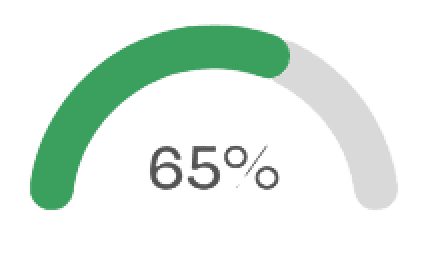
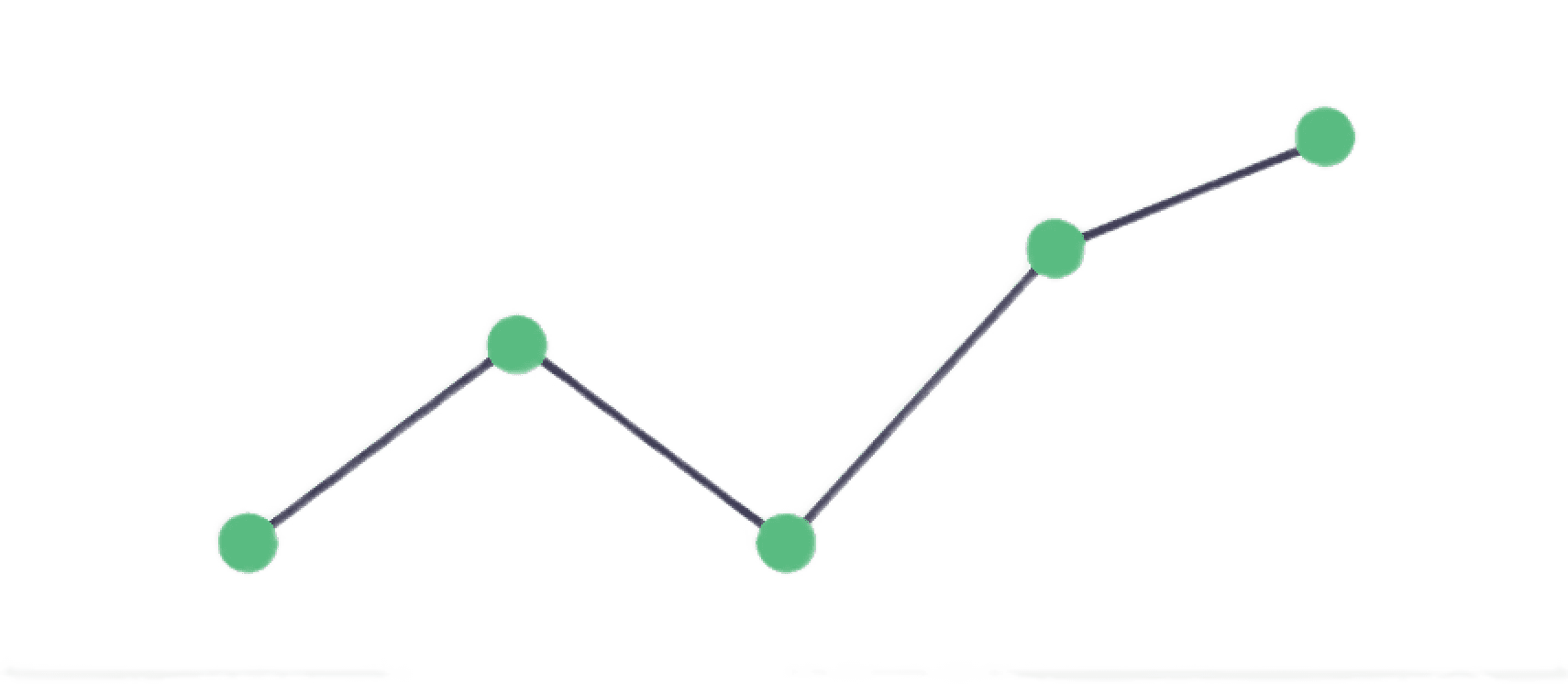
Users acknowledged critical alerts 2.2s faster on average.
Improved alert recognition accuracy by 35% in testing.
MAP- A Multi-layered experience.
Map provides users better spatial experience and make safety information visual, contextual, and actionable.
Layering Critical Information on the Map
During emergencies, users often need more than incident information—they need access to resources and an understanding of potential risks.

Problem Statement:
The map needed to support three additional layers of information:
Safety Services - Hospitals, Police Stations, Fire Stations.
Threat Zones - Potential areas where incidents may occur.
Crime Zones - Heatmap showing concentrations of incidents.
Saved Locations
Friends and Packs
Problem Statement:
How might we help users monitor multiple meaningful locations while keeping them easily accessible and manageable?
*Saved Locations creates long-term engagement, increases the frequency and relevance of safety interactions by helping users monitor places that matter most.
In a real emergency, nobody thinks
"let me check on my twelve closest contacts individually."
They think in groups — my family, my team, my building.

Unlike social media, the goal wasn't to build network - but focus on trusted relationships.
How to save Location?
Users could save and monitor up to 20 locations

FINAL DESIGNS
The original product had a Friends feature hidden inside More Settings.
Poor discoverability.
Limited engagement.
Rally Points
Information can tell people what happened.
It can't tell them where to reunite.
At this moment, awareness alone wasn't enough. People needed a way to regroup, coordinate, and regain a sense of control.
That became the foundation for Rally Points.
User Journey until now
"What happened?" - Alerts
↓
"Where is it?" - Maps
↓
"Does it affect me?" - Saved Locations
↓
"Where is everyone?" - Friends & Packs
↓
"Where do we meet?" - Rally Point
Rally Point Flow
Understanding Users
Five Key Lessons

Business Model
Beyond the Screens
An All button was introduced.
Challenge- What if users need to view multiple alerts, multiple combinations or only single alert?
We explored button-based filtering. However, as combinations increased, interactions became cumbersome.

Beyond the Screens
Business Model
Five Key Lessons
Good design can't prevent emergencies.
But it can help people navigate them with confidence.
CHECK OUT LIVE !
Shepherd Shield's redesign is live now, used by real people during real emergencies.
Play Store Link : https://play.google.com/store/apps/details?id=com.ssnw.shepherdshield&hl=en_IN
App Store Link : https://apps.apple.com/us/app/shepherd-shield/id1230505120

Good design can't prevent emergencies.
But it can help people navigate them with confidence.
Shepherd Shield's redesign is live now, used by real people during real emergencies.
Play Store Link : https://play.google.com/store/apps/details?id=com.ssnw.shepherdshield&hl=en_IN
App Store Link : https://apps.apple.com/us/app/shepherd-shield/id1230505120